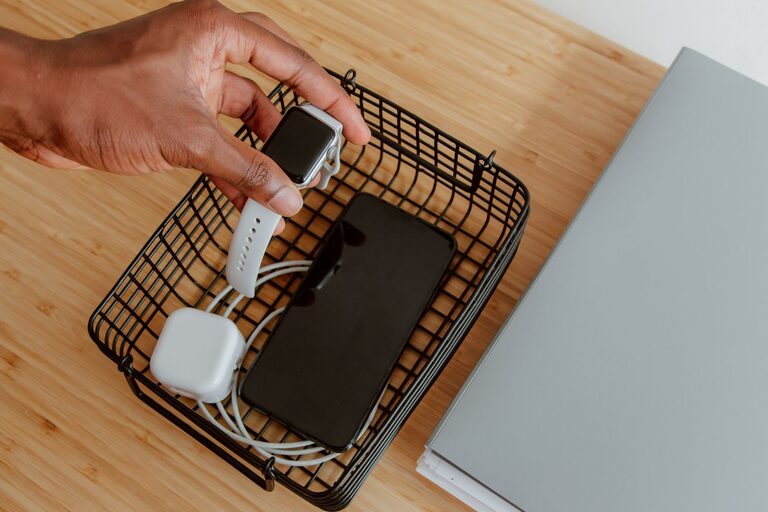
Setting up a dedicated charging station for your devices can help keep your space neat and ensure that your gadgets are always ready to use. With multiple phones, tablets, laptops, and other electronics, having one organized spot to charge everything saves time and reduces clutter. This guide will walk you through everything you need to know to create an efficient and easy-to-maintain charging station in your home or office.
Why Set Up a Charging Station?
Many of us have multiple devices that need regular charging, often scattered around the house. This leads to tangled cords, misplaced chargers, and crowded outlets. A charging station provides several benefits:
– Organization: Keeps all devices and chargers in one place.
– Safety: Reduces the risk of tripping over cables or overloading outlets.
– Efficiency: Makes it easy to charge multiple devices at once.
– Aesthetics: Creates a tidy, streamlined look for your space.
Choosing the Right Location
Start by selecting a convenient and accessible spot for your charging station.
Consider These Factors:
– Proximity to Power Outlets: Choose a location near a wall outlet to avoid excessive extension cords.
– Central Location: A common space like living room, kitchen counter, or home office desk works well.
– Ventilation: Ensure the area isn’t cramped so devices don’t overheat during charging.
– Surface Area: Pick a flat and stable surface that can hold all your devices and charging accessories.
What You’ll Need
Gather the materials and tools before you begin setting up.
Essential Supplies:
– Multi-port USB charger or charging hub
– Power strip with surge protection
– Charging cables for each device
– Cable organizers (clips, ties, or sleeves)
– Charging station stand or box (optional)
– Labels or markers (optional for organization)
– Small containers or trays (to hold smaller gadgets or accessories)
Step-by-Step Setup Guide
Follow these steps to create a functional charging area.
1. Clear and Clean Your Space
Remove any clutter and clean the surface to start fresh. This will help you visualize the space and avoid mixing unrelated items.
2. Arrange Your Devices
Group the devices you plan to charge regularly, such as smartphones, tablets, smartwatches, wireless earbuds, or e-readers.
3. Select a Charging Hub or Multi-Port Charger
A multi-port USB charger allows multiple devices to charge simultaneously from a single outlet, reducing the number of plugs needed.
– Look for one with enough ports for all devices plus extra for guests.
– Choose chargers with fast-charging capability if compatible with your devices.
4. Connect Your Power Source
Plug the power strip or surge protector into the wall outlet. Connect your charging hub or individual chargers to the power strip to protect devices from power surges.
5. Organize Cables
Tidy up charging cables using clips, ties, or sleeves:
– Coil excess cable length to prevent tangles.
– Use adhesive cable clips to secure cables to the desk or wall.
– Consider a cable management box to hide power strips and cords.
6. Label Cables or Ports (Optional)
If you have many similar devices, labeling cables or charging ports can speed up device placement and prevent mix-ups.
7. Use a Charging Station Stand or Box (Optional)
Purchasing or building a charging station stand or box can keep devices upright and cables concealed.
– Look for stands with built-in cable management.
– DIY options include wooden boxes with holes drilled for cables and ventilation.
8. Add Extra Storage for Accessories
Keep small items like earbuds, adapters, or memory cards in small containers near the station for easy access.
Safety Tips for Your Charging Station
– Avoid overloading outlets by using surge protectors.
– Keep liquids away from the charging area.
– Don’t cover devices while charging to prevent overheating.
– Inspect cables regularly for wear and replace damaged ones.
– Unplug chargers when not in use to save energy.
Maintenance and Upkeep
To keep your charging station tidy over time:
– Regularly remove unused cables and devices.
– Clean dust from power strips and chargers.
– Reorganize cables if they become tangled.
– Update your setup if you add or change devices frequently.
Final Thoughts
Setting up a charging station is an easy way to improve your daily routine and keep devices ready for use. With a little planning and the right tools, you can create a neat, safe, and efficient charging area that blends seamlessly into your home or workspace.
Whether you prefer a minimalist look or a station filled with various gadgets, following these steps will help you avoid cable chaos and make charging hassle-free. Why not start organizing your devices today?
About the Author